
ONLINE SHOP
Order quickly and easily in the Würth online shop.
Discover the convenience of online shopping at Würth whenever it suits you, even in the evening or at the weekend. Make use of all the features an online account offers to tailor your shopping experience to your needs.

Your benefits at a glance
- Available 24/7
- Extensive product information
- Efficient and time-saving
- Choice from the full range
- Current shop stock levels
- Personalized account and order history
Click & Collect
With Click & Collect, you can reserve items online and collect them within 60 minutes at a Würth shop of your choice.
Order Templates
Create an order template for recurring orders. This allows you to add them to your shopping cart with one click.
Cost Center
Create individual cost centers to bring structure to orders.
Approval Flow
Let employees create orders themselves while keeping control by assigning an approver.
Inventory
Use our scanners and create inventory lists.
Repeat Orders
Create a selection of items to receive periodically and automatically again.
On the road or on site?
Wherever you are, our complete product range is always within reach. Download our free app now.
Download the app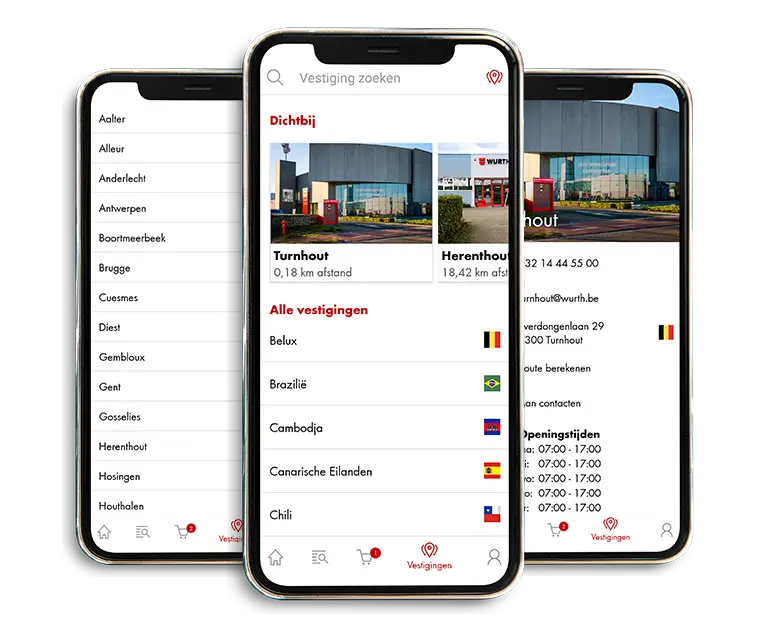

Want to get started quickly with the Würth online shop?
Create a shortcut that logs you in directly or set our online shop as a favorite in your web browser.
Go to the guideFAQ
Frequently asked questions
Yes! Your shopping cart will be saved, so you can complete your order at any time.
You can create an unlimited number of accounts under one customer profile. There is no limit.
Online orders over €100 (excl. VAT) are shipped free of charge; otherwise you pay shipping and packaging costs. Prefer not to pay extra costs? Discover our Würth Red Service.
Absolutely! You can find this in the 'Order Templates' section of your online shop account.
Reserve the desired items via the online shop or app and collect them quickly and easily in the shop of your choice - that is Click & Collect.
Click on forgot password and enter your login details. After we have verified your details, you will receive an email with more information on how to reset your password.
When registering for our online shop, you will receive an email containing your unique customer number and partner number. You can choose your password yourself during your first login.
By following the instructions below, the Würth online shop will be added to your favorites menu:
- Go to the Würth online shop
- Click the star icon at the top right of your address bar
- Click on 'edit'. In the 'folder' field, decide whether the site should be placed in the bookmarks bar or other favorites. We recommend placing it in your bookmarks bar
- Click save
By following the instructions below, you will from now on be logged in immediately to the Würth Online Shop:
- Create a new shortcut on your desktop (Right-click > New > Shortcut)
- Copy and paste the link below into the shortcut field: https://eshop.wurth.be/is-bin/INTERSHOP.enfinity/WFS/3103-B1-Site/en_US/-/EUR/ViewLogin-Process?LoginForm.CustomerNumber=?????????&LoginForm.Login=??????&LoginForm.Password=?????
- Replace the ????? with your customer number, partner number and password (This must be done carefully without extra spaces)
- Click Next and enter "Würth Online Shop" as the name
- Click Save
Personalize your shortcut by adding the Würth logo.
REGISTER AND ENJOY ALL THE BENEFITS
Easy reordering
View prices and stock immediately
€20 discount on your first order,
when purchasing €100